Best GrapheneOS apps for privacy — what we actually install.
GrapheneOS ships with almost nothing pre-installed. That is a feature, not a gap. You build the stack you need, and every app you install has a reason to be there. This is the app selection we configure on every Privacy Devices Pixel — with the reasoning behind each choice.
The private stack, on screen.
Encrypted messaging only works when the apps, profiles, contacts and network path are configured together. The point is a working communication setup, not a list of app names.
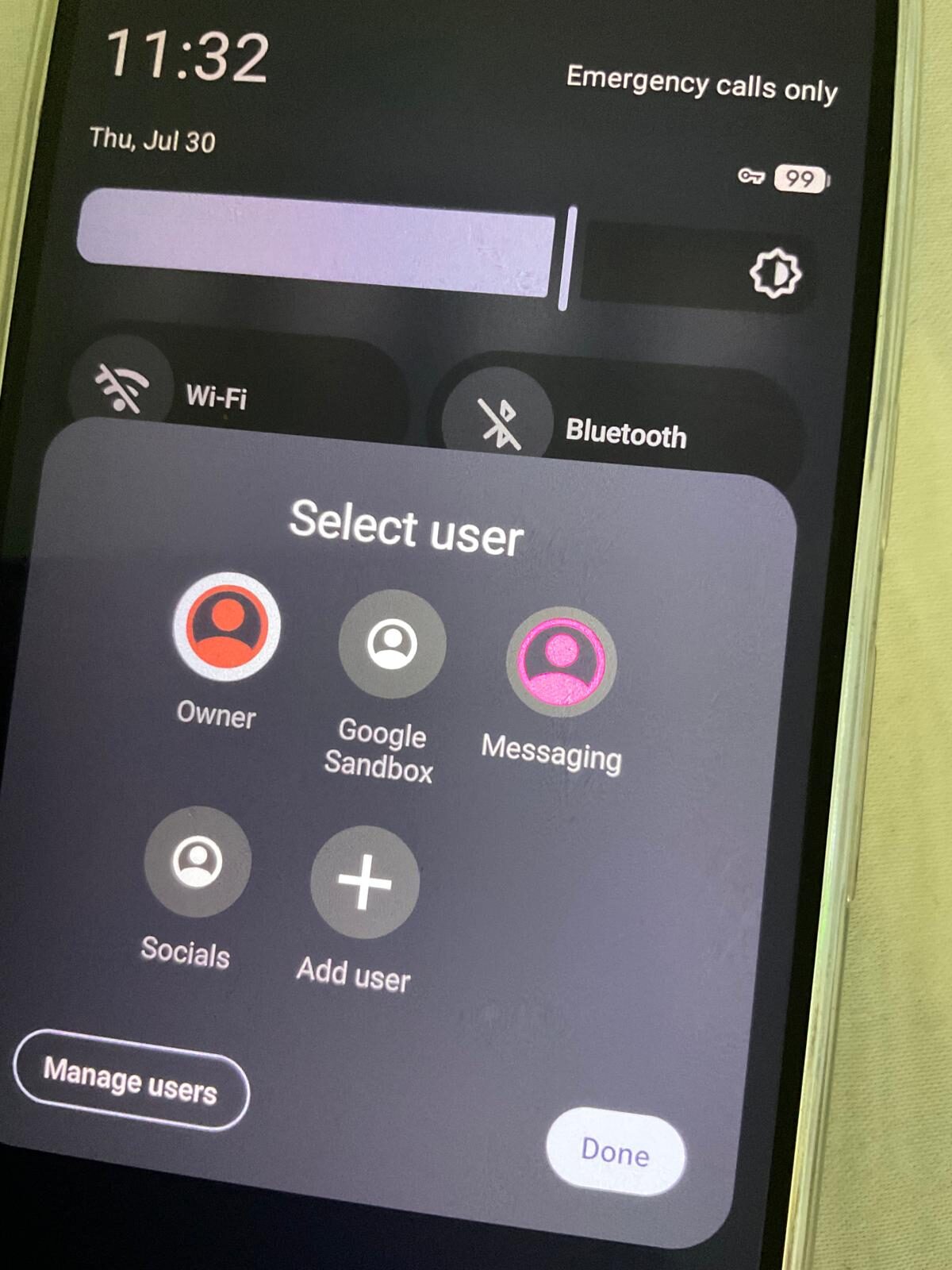
The best GrapheneOS app stack is not about maximising features — it is about minimising the number of third parties with access to your data, while still giving you a phone that functions without friction. Every app below earns its place on that basis.
Why app selection matters more on GrapheneOS
On a standard Android phone, Google Play Services and the operating system itself already track your behaviour at a layer below the apps you install. GrapheneOS removes that layer. The result is that the apps you install become the primary source of any data collection that happens — which means choosing them carefully is worth more than on stock Android.
GrapheneOS also gives you tools stock Android does not: per-app network toggles (block an app from the internet entirely), per-app sensor toggles (deny camera, microphone, or location at the OS level, not just per-permission), and fully isolated user profiles. A well-chosen app in the right profile, with the right network toggle, cannot leak data even if it tries.
With that context, here is what we install — and why.
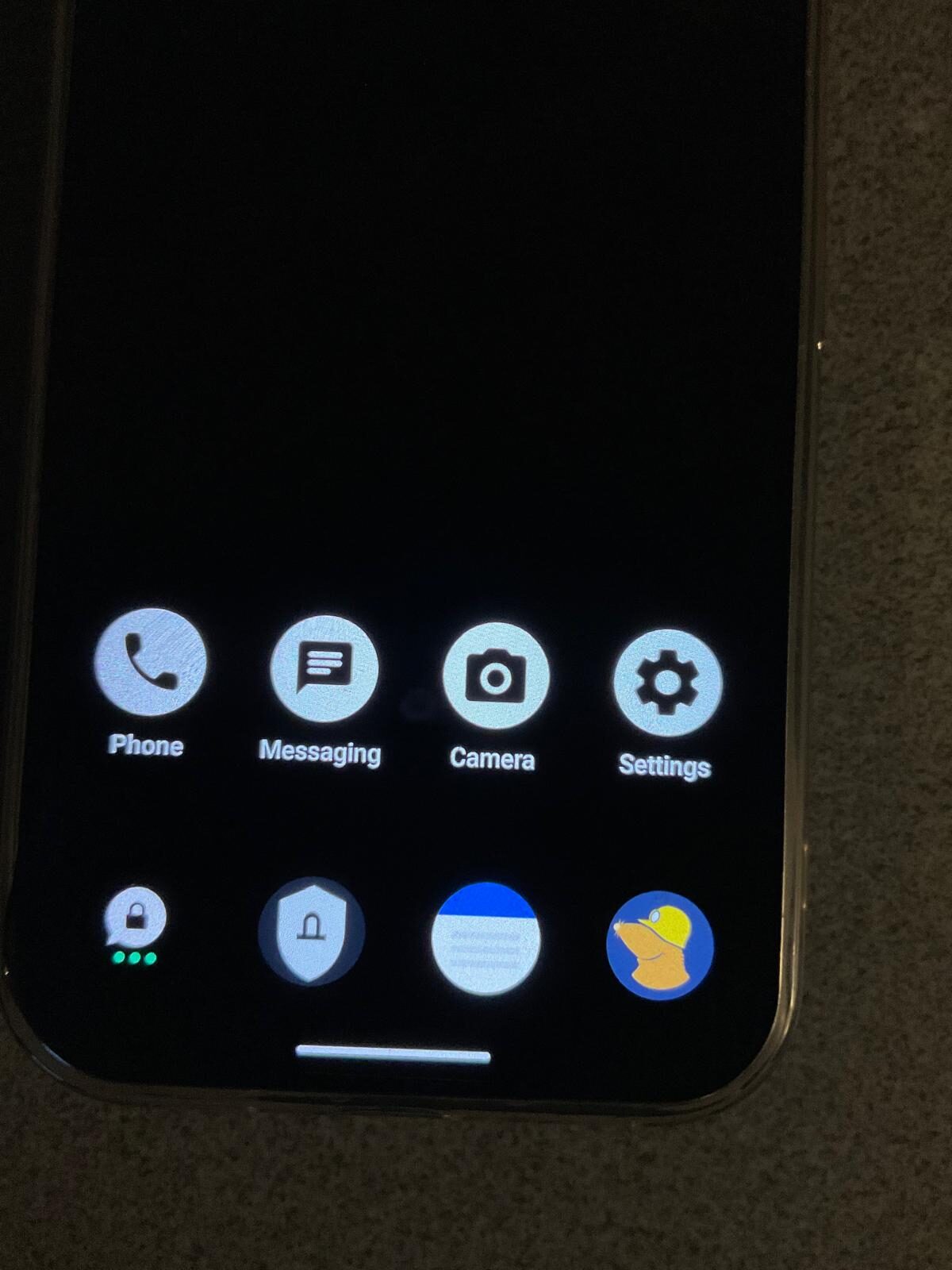
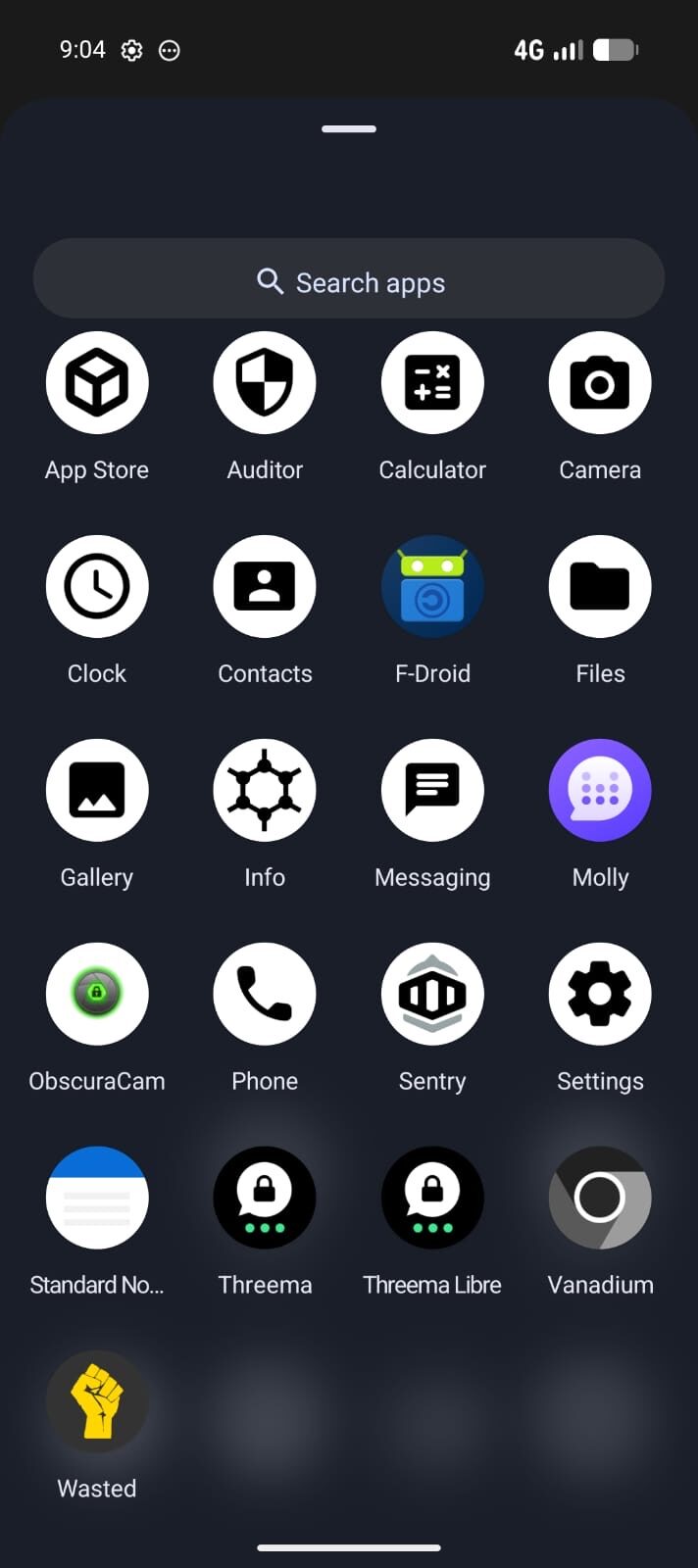
Encrypted messaging
Threema — primary identity
Threema is our default for every Privacy Devices customer. No phone number required to register. No email. You receive a hash-based Threema ID that is entirely separate from your phone and carrier identity. It runs natively on GrapheneOS without Google Play Services. Servers are in Switzerland. You pay once (around $5 AUD) and the licence is yours for life, transferable across devices.
We pre-activate Threema on every device we ship, against a paid ID. Your messaging identity starts clean, with no link to your prior phone history. For the full comparison with Signal, see our Signal vs Threema guide. Standalone Threema licences are also available from our software shop.
Signal — reach
Signal is the best E2E messaging option for reaching people who are already privacy-conscious but do not have Threema. It runs on GrapheneOS (APK direct from signal.org or via Sandboxed Play), requires a phone number to register, and has an excellent track record for security. Use it for contacts; use Threema for your identity. We install both on every device.
VPN
Mullvad VPN — always-on
Mullvad is the only VPN we recommend for a serious GrapheneOS setup. It is the only major VPN with a native Android client that does not require Google Play Services. You subscribe by account number — no email, no name, no payment identity if you pay with cash or Monero. We configure it with always-on enabled and the kill-switch set, so no traffic ever leaves the device outside the encrypted tunnel.
On GrapheneOS, the always-on VPN is an OS-level setting (not just in-app), which means it survives app crashes and reboots. Combined with per-app network toggles, you can also grant individual apps network access only while inside the VPN tunnel. Mullvad is available standalone from our software shop and is pre-keyed on every device we ship.
For a comparison of VPN options, see Best VPN for GrapheneOS Australia. For the VPN vs eSIM question, see VPN vs eSIM — do you need both?
Browser
Vanadium — default
GrapheneOS ships its own hardened Chromium fork called Vanadium. It is the browser we recommend as the default because it is the only one that integrates with GrapheneOS's hardened WebView, gets security updates from the GrapheneOS project alongside OS updates, and has strong fingerprint-resistance defaults without requiring extension configuration. For most browsing, Vanadium is the correct choice.
Tor Browser — when anonymity matters
For searches or browsing where IP-level anonymity matters — not just encrypted traffic, but actual identity separation from the destination — Tor Browser (via Guardian Project's F-Droid repo) is the right tool. It is slower and does not support all sites, but for specific use cases it provides a level of anonymity that a VPN alone does not. We install it but leave it as a secondary option, not the default.
Navigation and maps
Organic Maps — offline-first
GrapheneOS ships with Organic Maps, an offline-first map application based on OpenStreetMap data. It works without any account, sends no location data to any server, and is usable in flight mode. For Australian road navigation, public transport, and hiking, it is comprehensive and accurate. We configure it as the default map handler so nothing routes through Google Maps by accident.
If Google Maps functionality is critical — particularly Google-specific points of interest or real-time public transport — install it in a secondary profile with Sandboxed Google Play, so your location history stays out of the primary profile.
K-9 Mail / Thunderbird — open-source IMAP
For email on GrapheneOS, K-9 Mail (now merging with Thunderbird) is the open-source IMAP client that does not require any Google account, syncs entirely with your own server or a privacy-friendly provider (Proton Mail, Fastmail, Tuta), and is audited. We do not recommend the Gmail app in the primary profile — if you need Gmail, use it in a secondary profile with Sandboxed Play, or access it via Vanadium browser.
Password management
Bitwarden — open-source, cross-device
Bitwarden is the password manager we install. Open-source client and server, audited, supports self-hosting if you want your vault on infrastructure you control, and has a native Android client that does not require Google Play. The free tier covers everything most people need. For a business that wants the vault on-premises, Vaultwarden (self-hosted Bitwarden server) is a strong choice.
Camera and notes
GrapheneOS Camera — pre-installed
GrapheneOS ships its own Camera app. It is a hardened, permissions-clean camera that does not phone home, supports all hardware camera features on Pixel hardware, and saves to local storage only. There is no reason to install a third-party camera app in the primary profile.
Standard Notes — encrypted, cross-platform
For notes that need to leave the device (sync across devices or to desktop), Standard Notes is the correct choice: end-to-end encrypted, open-source, audited, with a native Android client that does not require Google services. For notes that only ever live on the device, the built-in Notes app in GrapheneOS is fine.
App sources
GrapheneOS App Store
GrapheneOS ships its own curated app store for OS-level apps and a small selection of security-relevant apps. It is the first place to check for updates to core GrapheneOS components.
F-Droid
F-Droid is the open-source Android app repository. Most of the apps listed above are available here, including Threema Libre (the Google-Play-free build), Organic Maps, K-9 Mail, and Tor Browser. We add the relevant repositories during device configuration.
Aurora Store (Play Store without an account)
Aurora Store is a Play Store client that does not require a Google account. It uses anonymous (or your own) Google credentials to download apps that are only available on the Play Store. Used in the primary profile for privacy-clean Play Store apps, or in a secondary profile alongside Sandboxed Google Play for everything else.
Sandboxed Google Play (secondary profile only)
If you need apps that require Google Play Services — including most Australian banking apps — GrapheneOS lets you install Google Play in a sandboxed container that gives it no elevated privileges. We put this in a secondary profile only, never in the Owner profile. This keeps your main profile clean while still giving you access to the apps you cannot replace.
What not to install in your primary profile
There is a category of apps that are fine to use but belong in a secondary profile, not your primary identity:
- Facebook, Instagram, TikTok, Snapchat — aggressive permissions requests, background telemetry, known fingerprinting behaviour. Use in a dedicated social profile if at all.
- Any app requiring Google Play Services in the main profile — sandboxed Play goes in a secondary profile, not your primary one.
- WhatsApp — requires a phone number and Facebook account; use Signal or Threema for encrypted messaging instead. If WhatsApp is unavoidable for some contacts, put it in a secondary profile.
- Google Maps — routes all location queries through Google's servers, builds a location history. Use Organic Maps in the primary profile, Google Maps (if needed) in a secondary profile.
The principle: anything that collects ambient data or requires a vendor account lives in a separate profile, away from your private communications and sensitive data.
GrapheneOS apps — frequently asked questions
Do I need Google Play to use apps on GrapheneOS?
No. Most essential privacy-focused apps (Threema, Mullvad, Signal, Organic Maps, K-9 Mail, Bitwarden, F-Droid) run natively on GrapheneOS without any Google services. If you need an app that requires Google Play Services — typically banking apps, payment apps, or some streaming apps — GrapheneOS supports Sandboxed Google Play in a secondary profile, which gives those apps a contained Google environment without Google having any OS-level access.
Can I use Australian banking apps on GrapheneOS?
Yes, most of them. GrapheneOS's Sandboxed Google Play means banking apps that require Play Services can run in a secondary profile. CommBank, ANZ, Westpac, NAB, ING, Macquarie, Bendigo, and Up Bank all work for Australian users. A small number of apps use aggressive attestation checks that detect a non-stock environment — we test compatibility before dispatch and document known exceptions.
Is F-Droid safe to use on GrapheneOS?
Yes, with the standard F-Droid repository for well-known open-source apps, it is safe and widely used. For some apps (particularly Threema Libre), the specific repository matters — we add the correct repo during device configuration. The GrapheneOS project recommends installing the F-Droid privileged extension so updates work without user confirmation; we configure this as standard.
How do I block an app from accessing the internet on GrapheneOS?
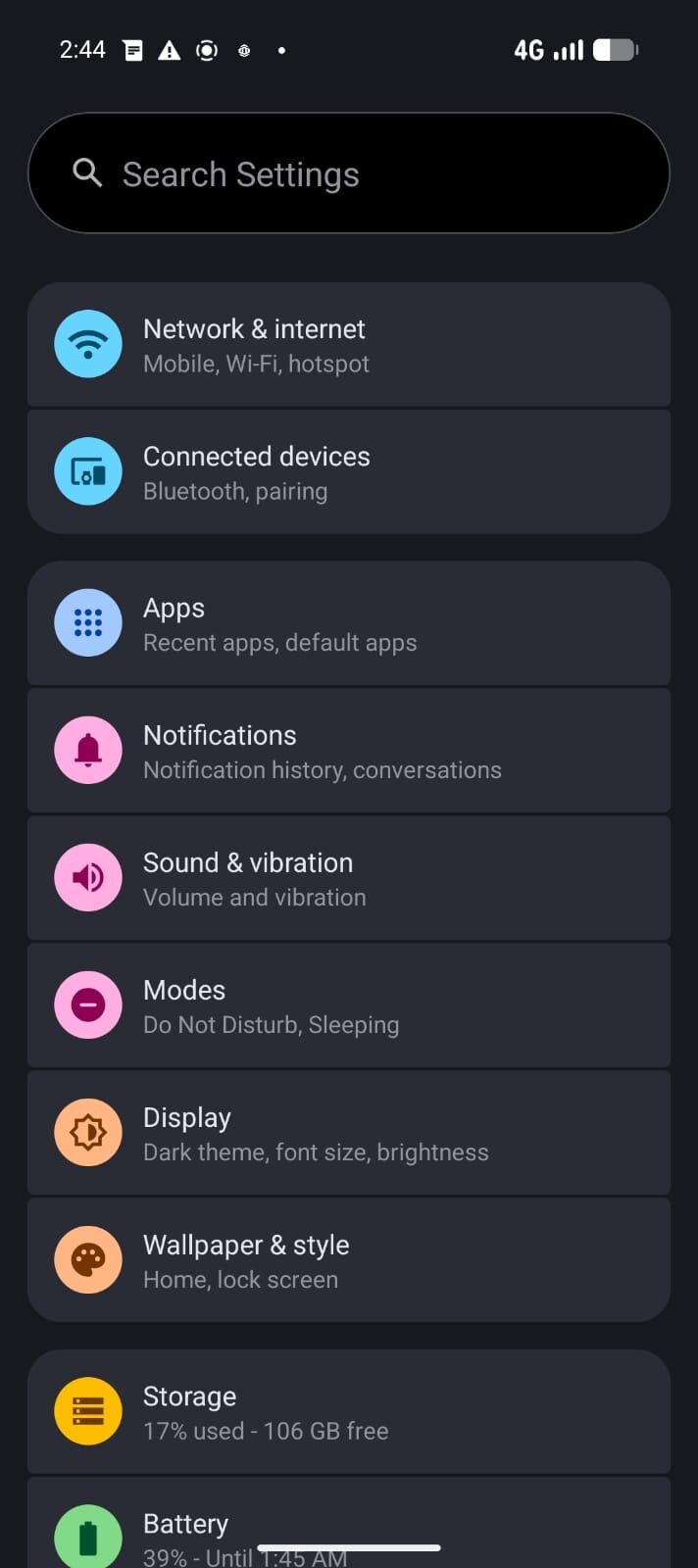
Settings → Apps → [App Name] → Permissions → Network. GrapheneOS adds a per-app Network permission that stock Android does not have. You can deny any app internet access entirely, which is useful for apps that need to run locally but have no business calling home. This works at the OS level, below anything the app can detect or override.
What is the difference between installing Threema via F-Droid vs the Play Store?
The F-Droid version is called Threema Libre and is built without any Google or proprietary dependencies — it does not use Firebase Cloud Messaging for push notifications, which means slightly higher battery use (Threema uses its own WebSocket connection instead). The Play Store version uses FCM. On GrapheneOS without Google services, the Libre build is the correct choice; in a Sandboxed Play profile, either version works.
Should I use a password manager on GrapheneOS?
Yes. Even on a hardened OS, password reuse is one of the most common ways accounts are compromised. Bitwarden is the recommended choice: open-source, audited, cross-device, and available on F-Droid without Google services. If you want the vault on your own infrastructure, Vaultwarden (a self-hosted Bitwarden-compatible server) is an excellent option.
Every app, pre-configured from day one.
Every Privacy Devices Pixel ships with this app stack already configured — Threema activated, Mullvad keyed, profiles set up. Ready to use from the box.
Browse Devices → Shop Software & Licences