Best VPN for GrapheneOS Australia — and why most VPNs miss the mark.
Most VPN reviews are written for stock Android and ignore the one thing that changes everything on GrapheneOS: whether the app needs Google Play Services to run. If your VPN requires Play Services and you have not set up Sandboxed Play, it will not work at all. Here is what does.
Provisioned, not promised.
VPN, eSIM and private payment only matter when they are installed, keyed and tested on the device before dispatch.
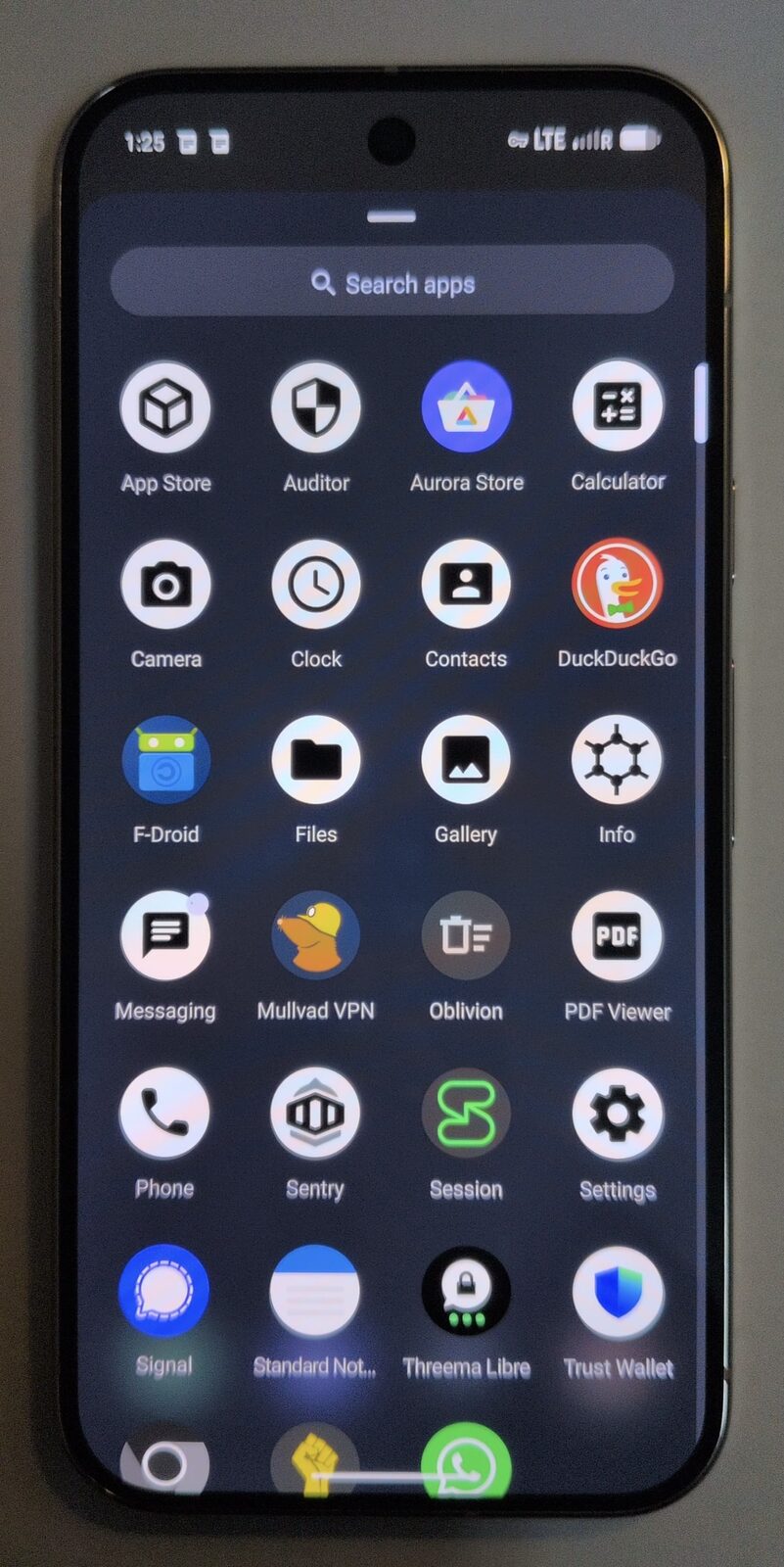
Mullvad. No other major VPN has a native Android client that runs on GrapheneOS without any Google dependencies, an account model with no email or name required, and a server presence in Australia. If you want a second option, ProtonVPN is a sound choice. NordVPN and Surfshark work on GrapheneOS (in a Sandboxed Play profile) but are not the right tool for the job.
Why VPN selection is different on GrapheneOS
On stock Android, most VPN apps install from the Play Store and use Google Play Services for push notifications, background wake-locks, and update delivery. On GrapheneOS, the primary profile has no Google Play Services. If a VPN app depends on FCM (Firebase Cloud Messaging) to maintain its connection or receive configuration updates, it will fail or behave unpredictably in your primary profile.
GrapheneOS also uses an OS-level always-on VPN setting that is stricter than in-app kill switches. The VPN is configured at the network layer, not just inside the app. For this to work reliably, the VPN client needs to handle Android's built-in VPN framework properly — which not all clients do.
A third consideration: the privacy benefit of a VPN is undermined if the VPN provider can link your subscription to your identity. A VPN that requires an email and credit card at sign-up creates a paper trail between your identity and your VPN-anonymised traffic. For GrapheneOS users, this matters more than for average consumers.
What to look for in a VPN for GrapheneOS
- Native Android client without Google Play dependency. The app must work without Firebase and without Play Services in your primary profile.
- Account model that does not require an email or name. Account-number-only or anonymous account signup.
- Proven no-logs policy. Independently audited, or demonstrated through a court case / law enforcement request that resulted in no data handed over.
- OS-level always-on + kill-switch support. Works properly with Android's built-in VPN lock, not just an in-app kill switch.
- Australian server presence. For AU users, latency to a domestic server matters for day-to-day performance.
- WireGuard protocol. The modern, fast, audited protocol. Significantly better than OpenVPN on mobile.
Mullvad — recommended
Mullvad is the only major VPN that meets every criterion above without compromise. The native Android client is available as a direct APK download and through F-Droid — no Play Store required. It is built without any Google dependencies and runs cleanly in GrapheneOS's primary profile.
Account creation gives you a random account number. No email. No name. No payment identity if you pay by cash, Monero, or Bitcoin. Mullvad has an Australian server (Sydney), a published no-logs policy that has been tested in practice (Swedish authorities requested data in 2023; there was none to provide), and the client implements WireGuard by default.
The always-on VPN combined with GrapheneOS's OS-level kill switch means no traffic ever leaves the device outside the encrypted tunnel — including on reboot and app crash. This is the correct configuration for a hardened device.
Mullvad is available from our software shop and is pre-configured on every device we ship. Monthly subscriptions with no commitment. For a detailed setup guide, see Mullvad VPN on GrapheneOS Australia, or read our full Mullvad VPN review for Australia.
| Criterion | Mullvad result |
|---|---|
| Native client without Play Services | Yes (F-Droid / direct APK) |
| Anonymous account (no email) | Account number only |
| No-logs (proven) | Yes — court-tested 2023 |
| WireGuard | Default protocol |
| Australian servers | Sydney |
| Always-on + OS kill-switch | Yes |
| Price | ~AU$9/month flat |
ProtonVPN — strong second option
ProtonVPN (from Proton, the Swiss company behind Proton Mail) is the second-strongest choice for GrapheneOS. The Android client is available on F-Droid without Google Play dependency, and the client is open-source. Proton accounts require an email address but Proton offers a privacy-focused email service, so you can create a dedicated Proton account with a Proton Mail address — a reasonable privacy posture.
ProtonVPN has an independent audit of its no-logs policy, supports WireGuard, and has Australian servers. It also offers a free tier with reduced server access, which is useful for testing before committing to a paid plan.
The reason we recommend Mullvad over Proton as the primary choice is account anonymity: Mullvad requires no email at all, which provides a stronger separation between your subscription identity and your VPN traffic.
| Criterion | ProtonVPN result |
|---|---|
| Native client without Play Services | Yes (F-Droid) |
| Anonymous account (no email) | Email required (Proton Mail acceptable) |
| No-logs (proven) | Audited |
| WireGuard | Yes |
| Australian servers | Yes |
| Always-on + OS kill-switch | Yes |
| Price | From ~AU$11/month (or free tier) |
NordVPN — not recommended for primary profile
NordVPN is one of the largest consumer VPNs globally and performs well on stock Android. On GrapheneOS in the primary profile, it does not run without Google Play Services — the NordVPN client depends on FCM for connection management. In a secondary profile with Sandboxed Google Play, it works. But that means you cannot use NordVPN as your always-on VPN in the profile where your sensitive data lives.
Additionally, NordVPN accounts require an email address, and the company has had a historical server breach (2018) that, while contained, is part of its track record. NordVPN is a reasonable VPN for general consumer use on stock Android; it is not the correct choice for a GrapheneOS privacy build. If you still want it for a Sandboxed Play secondary profile, we stock a NordVPN 12-month licence.
| Criterion | NordVPN result |
|---|---|
| Native client without Play Services | No (requires Google Play) |
| Anonymous account (no email) | Email required |
| No-logs (proven) | Audited, one historical incident |
| WireGuard (NordLynx) | Yes |
| Australian servers | Yes |
| Works in primary GrapheneOS profile | No |
Surfshark — not recommended for primary profile
Surfshark has the same limitation as NordVPN: the Android client depends on Google Play Services and will not run in the primary GrapheneOS profile. It can be installed in a Sandboxed Play secondary profile. Surfshark accounts require an email and credit card, and the company is owned by Nord Security (the same parent as NordVPN), which means you are placing trust in a single corporate parent for what appears to be two separate providers.
For everyday stock Android use, Surfshark is competent. For a hardened GrapheneOS setup, it does not fit. For secondary-profile use only, we also stock a Surfshark 12-month licence.
Setting up always-on VPN on GrapheneOS
On GrapheneOS, the always-on VPN is configured at the OS level — not just inside the app. Here is how to verify or set it up:
- Open Settings → Network & internet → VPN
- Tap the settings gear next to your VPN profile (Mullvad)
- Enable Always-on VPN
- Enable Block connections without VPN (the kill switch)
With this configured, no traffic leaves the device outside the encrypted tunnel — even on reboot, on app crash, or on network change. This is the configuration we apply to every device we ship. The setting survives firmware updates and persists across reboots.
For the question of whether a VPN is enough or whether you also need a privacy eSIM, see VPN vs eSIM — do you need both?
VPN for GrapheneOS Australia — FAQ
Can I use ExpressVPN or IPVanish on GrapheneOS?
Both depend on Google Play Services for their Android clients, which means they will not run in the primary GrapheneOS profile. In a Sandboxed Google Play secondary profile, they would work — but you would be running your always-on VPN in a profile where you also have Google services, which significantly reduces the privacy benefit. Mullvad or ProtonVPN (both available on F-Droid) are the correct choices for the primary profile.
Does WireGuard vs OpenVPN matter on GrapheneOS?
Yes, significantly on mobile. WireGuard is faster, uses less battery (it is a simpler protocol), and handles network changes (moving from Wi-Fi to mobile data) much more cleanly than OpenVPN. All recommended VPNs (Mullvad, ProtonVPN) support WireGuard as the default protocol. We configure WireGuard in every Mullvad setup we ship.
Will an always-on VPN affect my banking apps on GrapheneOS?
Generally not. Banking apps work through a VPN tunnel — VPNs are commonplace in corporate settings and banks do not block VPN traffic by default. If a specific banking app causes issues with the VPN active, try temporarily switching the VPN server location, or exclude that app from the VPN tunnel in Mullvad settings.
How do I pay for Mullvad anonymously in Australia?
Mullvad accepts cash by post (send physical notes to their Sweden address), cryptocurrency (Monero and Bitcoin), and privacy-preserving payment vouchers. If you pay by card, Mullvad processes the payment but does not store the card or link it to your traffic — the account number system means your traffic logs (which they do not keep anyway) are not associated with payment data.
Does the VPN stay on when I switch between profiles?
Each profile has its own VPN configuration. In the primary profile, Mullvad always-on is active. In the secondary profile (Sandboxed Play), you can configure a separate VPN or use the primary profile's VPN if the profiles share the same network stack — though typically each profile manages its own VPN independently on GrapheneOS.
Is a free VPN ever appropriate on GrapheneOS?
No. Free VPNs typically monetise through traffic analysis or data sales — which is precisely what a privacy-focused OS is designed to avoid. ProtonVPN's free tier is an exception (limited servers but no data selling), and useful for testing. For regular use, a paid Mullvad or Proton subscription is the correct choice.
Mullvad, pre-configured on every device we ship.
Every Privacy Devices Pixel arrives with Mullvad VPN installed from F-Droid, always-on enabled, kill-switch set. Ready to use from the box, with no Google dependency in the primary profile.
Get Mullvad VPN → Browse Devices